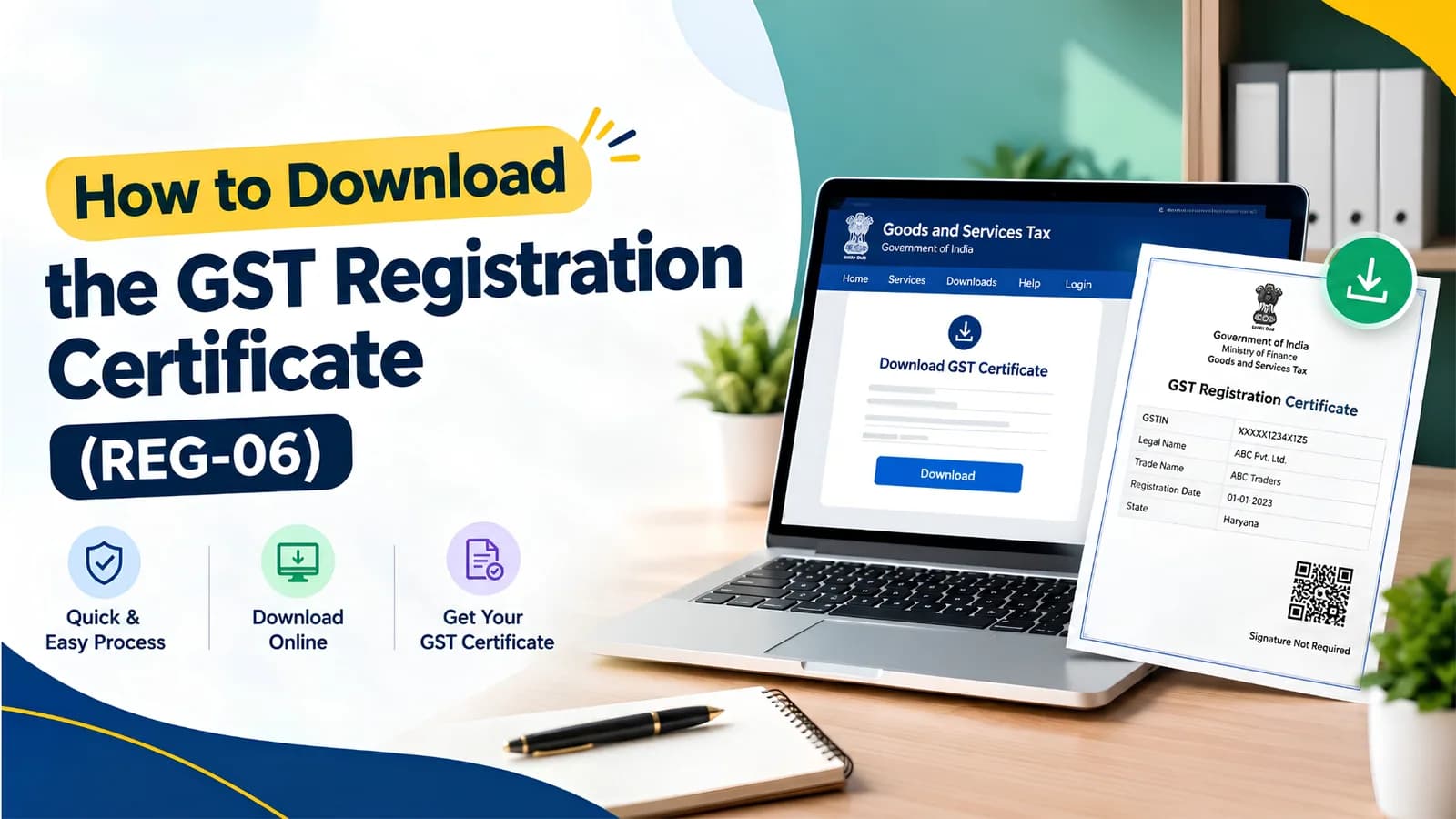
Download the GST registration certificate by logging in to the GST portal and going to Services, User Services, View or Download Certificates. The certificate is FORM GST REG-06, it is issued only in electronic form, and nothing is posted to you. There is no fee and no waiting period once the registration is approved.
Key facts on the GST registration certificate
Item | Position as on 31 August 2026 |
|---|---|
Form number | FORM GST REG-06, issued under Rule 10(1) of the CGST Rules, 2017 |
Where to download | GST portal, Services, User Services, View or Download Certificates |
Login required | Yes. There is no logged-out download route |
Fee | Nil |
Physical copy issued | No. The certificate is digitally signed and exists only as a PDF |
Validity, regular taxpayer | No expiry, and no renewal |
Validity, casual and non-resident | Ninety days, extendable once by a further ninety days |
Display obligation | Rule 18, at the principal place and every additional place of business |
Penalty for not displaying | Up to Rs 25,000 under Section 125 of the CGST Act, with a matching penalty under the State Act |
How to download the GST registration certificate
Log in to the GST portal with your username and password.
Go to Services, then User Services, then View or Download Certificates.
Find the entry for FORM GST REG-06 in the list of certificates.
Click the download icon to save the PDF, then open it and check the details before printing.
The certificate appears on gst.gov.in within a few hours of approval. If the status has moved to Approved but the certificate list is empty, wait a working day before raising a grievance, because the digital signing runs as a batch process.
Can you download the GST certificate without login?
No. FORM GST REG-06 is available only inside your own portal account, and no public route returns the certificate PDF. Search results promising a download without login are describing a different feature.
What is public is the Search Taxpayer facility. Enter any GSTIN there and the portal returns the legal name, trade name, registration date, constitution of business, taxpayer type, status and jurisdiction. That is enough to verify a vendor before claiming input tax credit, but it is not the certificate and it cannot be printed as one.
If you have lost portal access, recover the username and password using the registered mobile number and email. Where those have changed, the details have to be updated through an amendment before you can log in again.
What FORM GST REG-06 actually contains
The certificate is one page plus two annexures. Every field on it is drawn from what you declared in FORM GST REG-01, which is why an error here means an error in the application.
Field | What it tells you |
|---|---|
GSTIN | Your fifteen-character registration number |
Legal name | Name as it appears on the PAN |
Trade name | Business name, if you declared one |
Constitution of business | Proprietorship, partnership, company, LLP, trust and so on |
Address of principal place of business | The address the department will verify and correspond with |
Date of liability | The date from which you became liable to pay tax |
Period of validity | From date only for regular taxpayers; a To date appears for casual and non-resident registrations |
Type of registration | Regular, composition, casual, ISD, TDS deductor and so on |
Particulars of approving authority | The officer, jurisdiction and office that granted the registration |
Date of issue | When the certificate was generated |
Annexure A lists every additional place of business you declared. Annexure B carries the details and photographs of the proprietor, partners, directors or karta. Check both. A warehouse missing from Annexure A is a warehouse the department does not know you operate.
Reading the fifteen characters of your GSTIN
The GSTIN is not a random string. Each segment carries meaning, and knowing the structure lets you spot a fabricated number in seconds.
Position | What it holds |
|---|---|
Characters 1 to 2 | State code of the state where the registration was granted |
Characters 3 to 12 | PAN of the registered person |
Character 13 | Entity number for that PAN within the same state |
Character 14 | The letter Z by default |
Character 15 | Checksum character |
Two practical consequences follow. First, characters three to twelve must match the supplier’s PAN exactly, so a mismatch between a vendor’s PAN and GSTIN is a red flag before you claim credit. Second, the thirteenth character tells you how many registrations that PAN holds in that state, which matters when you are dealing with a group that has several verticals.
You are legally required to display the certificate
Rule 18 of the CGST Rules, 2017 requires every registered person to display the registration certificate in a prominent location at the principal place of business and at every additional place of business. Rule 18(2) separately requires the GSTIN to be displayed on the name board at the entry of each of those premises.
There is no specific penalty for breaching Rule 18, so the general penalty applies. Under Section 125 of the CGST Act, contravention of any provision for which no separate penalty is prescribed attracts a penalty extending to Rs 25,000, and the State Act carries a matching provision.
Composition taxpayers carry an extra obligation. The words Composition taxable person must appear on the name board alongside the GSTIN, and on every bill of supply issued.
This is one of the few obligations an officer can verify during a physical visit without opening a single return, which is why it comes up during Rule 25 verification. Our note on GST registration status explains when that visit is likely.
When your details change, the certificate changes
The certificate is a snapshot, not a permanent record. Change your trade name, add a warehouse, or replace an authorised signatory, and the old PDF stops being accurate. File the change through a GST amendment in FORM GST REG-14, and a revised FORM GST REG-06 is generated once it is approved.
Core field changes, such as legal name or principal place of business, need officer approval before the new certificate is issued.
Non-core changes, such as adding a bank account or an additional place in the same state, are auto-approved on the portal.
Download and display the revised certificate; leaving the superseded one on the wall defeats the purpose of Rule 18.
Keep the old copy in your records, because it evidences the position for past tax periods.
Certificates that expire
A regular GSTIN has a From date and no To date. It does not lapse and there is no renewal fee. Two registration types are different.
A casual taxable person registration is valid for the period requested, up to ninety days, and the certificate shows a To date. It can be extended once by a further ninety days, and the extension requires a further advance tax deposit under Section 27. A non-resident taxable person registration works the same way.
Which type you hold is printed on the certificate itself. The differences between them are set out in our guide to the types of GST registration.
When the certificate will not download
Three situations account for almost every download failure, and none of them need a grievance ticket.
The registration was approved within the last few hours and the certificate has not been generated yet. Check again the next working day.
The registration is suspended, usually for non-filing of returns or for missing bank details under Rule 10A, in which case the certificate list stays inaccessible until the suspension is lifted.
You are logged in to the wrong GSTIN, which happens where one PAN holds registrations in several states and the login defaults to another one.
[EXPERT INPUT NEEDED: Keshav - one real anonymised case where a client could not access or display the certificate correctly. What the cause was, what it delayed, and what we now tell clients to check in the first week after approval.]
Need the certificate corrected because a detail was declared wrongly at registration? Talk to Keshav’s team at Complylocal about GST registration services.