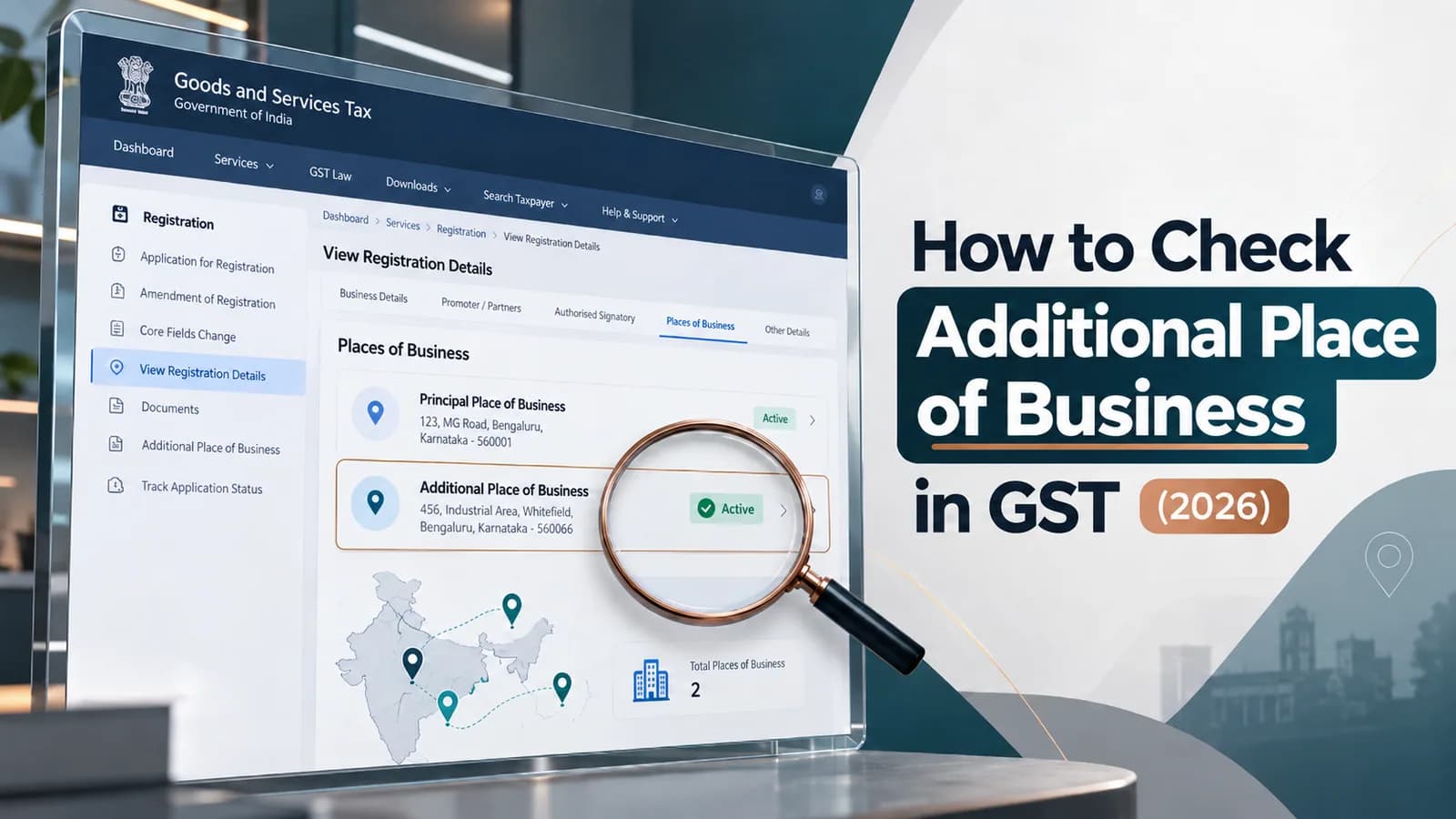
To check additional place of business in GST for your own GSTIN, log in to the GST portal and open My Profile, then the Place of Business tab, or download your registration certificate and read Annexure A. To check another business's additional places, log in and use Search Taxpayer; the search without login shows only the principal place of business.
Most people land on this question for one of three reasons. A marketplace wants proof that its fulfilment centre sits on your GSTIN, a buyer wants to confirm that a supplier's godown is declared, or you filed an amendment and want to know whether it went through. Each needs a different screen.
Key facts at a glance
Question | Position as on October 2026 |
|---|---|
Where do my own additional places show? | GST portal, My Profile, Place of Business tab, after login. The tab lists the last 4 additional places, with a link to view all of them. |
Is there a separate APOB certificate? | No. Additional places appear in Annexure A of the registration certificate in FORM GST REG-06, issued under Rule 10(1) of the CGST Rules. |
Can I see another GSTIN's additional places without login? | No. Search Taxpayer without login shows the principal place of business. The Place of Business tab is part of the search after login. |
How long until a new APOB appears? | After the officer approves the core field amendment. Rule 19(1) gives the officer 15 working days from your FORM GST REG-14 to approve and issue FORM GST REG-15. |
Must the certificate be displayed at the APOB? | Yes. Rule 18(1) requires the certificate at every additional place, and Rule 18(2) requires the GSTIN on the name board at its entry. |
Three ways to check additional place of business in GST
The method depends on whose GSTIN you are checking and what you need to show for it. Use the table to pick one, then follow the steps in the sections below.
Method | Login needed | What it shows | Use it when |
|---|---|---|---|
My Profile, Place of Business tab | Yes, your own | Every principal and additional place currently on your registration, plus the geocoded addresses | You want a quick check of your own registration |
REG-06 certificate, Annexure A | Yes, to download | Total number of additional places in the state and the address of each | Someone needs documentary proof, such as a marketplace or a bank |
Search Taxpayer, Place of Business tab | Yes, any GST login | The places of business of any GSTIN you enter | You are checking a supplier, buyer or 3PL partner |
How to check your own additional place of business on the GST portal
Your own additional places are listed in the profile section of the GST portal. These steps follow the official user manual for viewing a taxpayer profile.
Log in at www.gst.gov.in with your GST username and password.
Click the down arrow next to your username at the top right, then click My Profile.
Open the Place of Business tab. All registered principal and additional places of business are displayed.
If you have more than 4 additional places, use the link on the screen to see the full list, because the tab shows only the last 4 added.
Open the Geocoded Places of Business tab if you also need to see how each address has been mapped.
Read each address against your rent agreement or ownership document while you are on this screen. A warehouse address with a wrong unit number or PIN is still a declared place on paper, but it will not match what an officer or a marketplace sees on your documents.
How to check another business's additional place of business
You need to be logged in to any GST account to see a third party's additional places. According to the GST portal manual for Search Taxpayer, the search without login displays details such as legal name, constitution, principal place of business and return filing, while the Place of Business tab is described in the post-login search.
Log in to the GST portal with your own credentials.
Click Search Taxpayer and enter the GSTIN you want to check.
On the results screen, open the Place of Business tab to view the declared places of business.
This is the check to run before you accept stock into a supplier's godown or book a 3PL warehouse for your own goods. If the premises does not appear on the supplier's registration, ask for the amendment ARN before the first dispatch, not after the goods have moved.
Where to find the APOB certificate
There is no separate APOB certificate in GST. Rule 10(1) of the CGST Rules provides for a single registration certificate in FORM GST REG-06 showing the principal place of business and the additional places of business, and Annexure A of that certificate lists the additional places with their total count for the state.
Download the latest REG-06 from the GST portal under Services, then User Services, then View/Download Certificates. Our guide to downloading the GST registration certificate walks through the screens and explains each field.
Always send the latest download. A REG-06 saved on the day of registration will show "Total Number of Additional Places of Business in the State 0" even after your warehouse amendment is approved, so it proves nothing about the new premises.
Print the updated certificate for every additional place as well. Rule 18(1) requires the certificate to be displayed prominently at each additional place, and Rule 18(2) requires your GSTIN on the name board at its entry.
Why your new additional place of business is not showing yet
A new additional place appears only after the amendment is approved. Adding an additional place is a core field change, so it needs officer approval instead of updating instantly on submission.
Under Rule 19(1) of the CGST Rules, you file FORM GST REG-14 within 15 days of the change, and the officer approves within 15 working days and issues an order in FORM GST REG-15. If the officer finds the documents incomplete, Rule 19(2) allows a notice in FORM GST REG-03, and you have 7 working days to respond.
So check the amendment status first. Use Services, then Registration, then Track Application Status with your ARN, and act on any REG-03 query immediately. Our explainer on the APOB amendment lifecycle sets out each stage and form.
What you see | What it usually means |
|---|---|
APOB missing from My Profile and from REG-06 | The amendment is still pending, was rejected, or was never filed. Check the ARN status. |
APOB in My Profile but not on the certificate you have | You are holding an old REG-06. Download it again. |
APOB visible, but with the wrong address | The address was typed wrongly in REG-14. File a fresh core field amendment to correct it. |
A closed warehouse still listed | The deletion was never filed. Remove it through an amendment. |
Need a warehouse or branch added and visible on your certificate before stock moves? Talk to Keshav's team about adding an additional place of business with documents that match on the first filing.
What to do if an additional place is wrong or missing
Fix it through the amendment route, not by explaining it to the marketplace or the buyer. The registration is the record that counts.
Missing premises. File the core field amendment to add it, using the steps in our guide on how to add an additional place of business. Do this before goods are stored there.
Wrong address on an approved APOB. File a fresh amendment with documents that show the correct address, typed exactly as the document prints it.
Premises you have vacated. A stale address is a liability if an officer visits it, so remove the additional place through the same amendment process.
Premises in another state. An additional place must be within the same state as the GSTIN, because Section 25(2) of the CGST Act grants a single registration per state. A warehouse in another state needs its own registration there.
For marketplace sellers, the fulfilment centre address in Annexure A has to match the address the marketplace has on its own records. Our Amazon APOB playbook explains how that match is checked during onboarding.
Your next step: log in, open My Profile and compare every address in the Place of Business tab against your documents, then download a fresh REG-06 for anyone who needs proof.