If you run a warehouse, a second shop, a branch office, or store stock in a marketplace fulfilment centre, GST law usually expects that address to appear on your registration. Many businesses don’t do this. They keep dispatching goods and holding stock at premises that were never declared, and it works fine until an officer checks the “ship from” address on an e-way bill or turns up for physical verification.
At ComplyLocal Consultants, this is one of the most common clean-ups we handle for e-commerce sellers and growing MSMEs. I’m Keshav Sehgal, and over the last five-plus years of helping businesses obtain GST registrations, expand across states, and stay compliant, I’ve seen the same avoidable mistakes repeated around the Additional Place of Business.
This guide fixes that. It explains what an Additional Place of Business under GST is, when you must declare one, when you don’t, the documents you need, the step-by-step portal process, and the real penalties you face if you skip it. Everything here is grounded in the CGST Act, CBIC circulars, and the official GST portal guidance.
What Is an Additional Place of Business (APOB) Under GST?
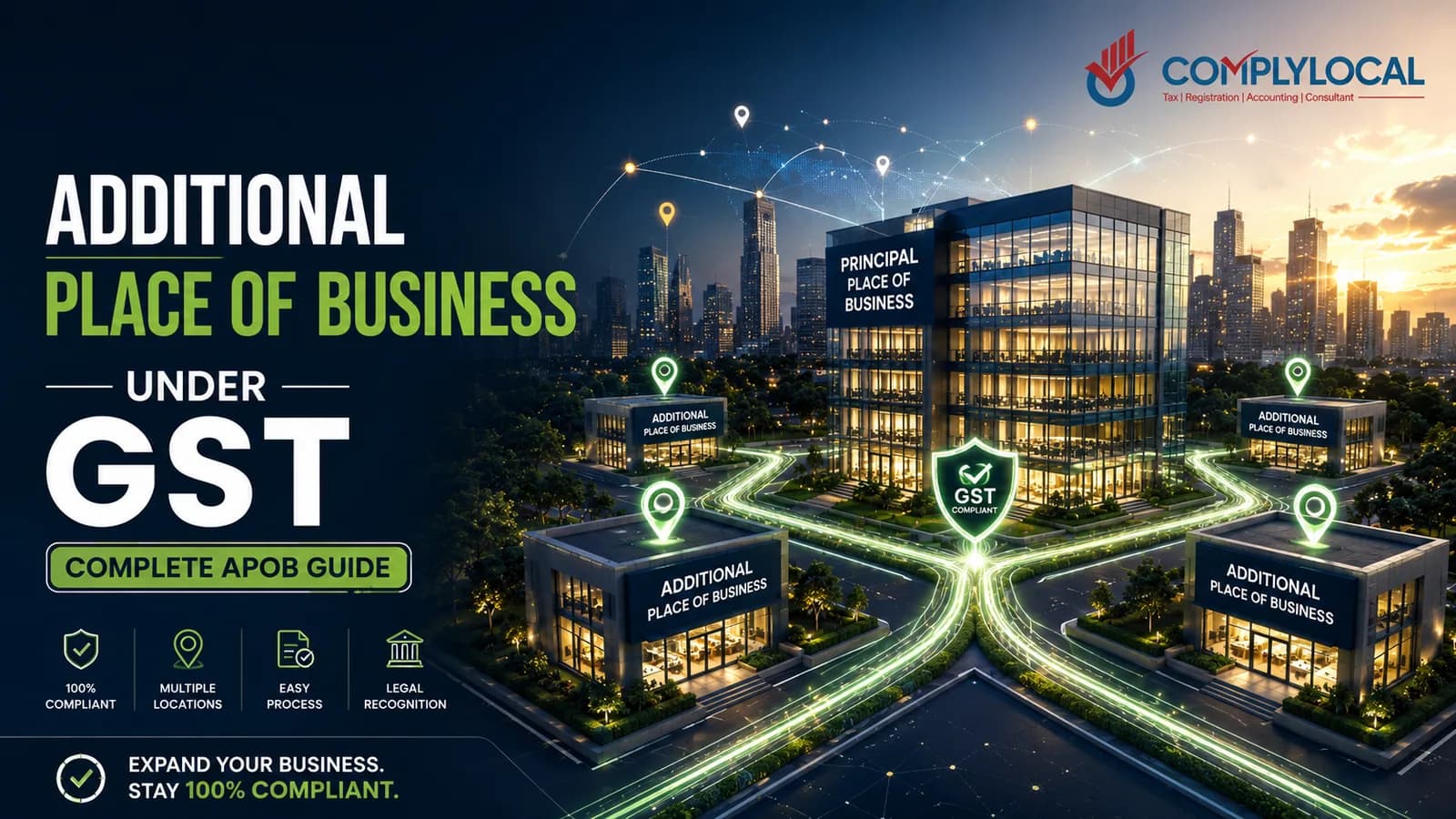
An Additional Place of Business (APOB) is any premises within the same State or Union Territory — other than your Principal Place of Business — from where you carry out business activities under the same GSTIN.
The clearest official description comes from CBIC Circular No. 61/35/2018-GST, which defines an additional place of business as a place of business from where the taxpayer carries out business-related activities within the State, in addition to the principal place of business.
The idea sits on top of the statutory definition of “place of business” in Section 2(85) of the CGST Act, which is deliberately wide. A place of business includes:
any place from where business is ordinarily carried on, including a warehouse, godown, or any place where goods are stored;
a place where goods or services are received or supplied;
a place where books of account are maintained; and
a place where business is conducted through an agent.
In plain terms: if real business activity happens at a location — storing stock, dispatching orders, running a branch, keeping your books — that location is a “place of business.” One of them is your principal; the rest are additional places of business.
APOB Full Form and Meaning
APOB stands for Additional Place of Business. It is not a separate tax, a separate return, or a separate registration. It is simply an extra address recorded under your existing GSTIN so that your registration reflects reality.
Principal Place of Business vs Additional Place of Business
Your Principal Place of Business (PPOB) is defined in Section 2(89) of the CGST Act as the place of business specified as the principal place in your registration certificate. Everything else that qualifies as a place of business becomes an APOB. If you want the full picture of the primary location, see our guide to the Principal Place of Business under GST.
Feature | Principal Place of Business (PPOB) | Additional Place of Business (APOB) |
|---|---|---|
Definition | The main location named in your registration certificate — Section 2(89) | Any other location in the same State where business is carried on — Section 2(85) |
How many | Exactly one per GSTIN | Multiple allowed under one GSTIN |
Records | Books of account and core management often here | May store goods, run a branch, or hold records |
On the certificate | Shown as PPOB on REG-06 | Listed under Additional Places on REG-06 |
Added / changed via | Core field amendment | Core field amendment |
Consultant’s note: The choice of which location is your PPOB is flexible. A manufacturer can make the factory the PPOB and depots the APOBs, or make the corporate office the PPOB and the factory an APOB. What matters is that every active location is disclosed as one or the other.
The Legal Basis for APOB (The Provisions Most Guides Skip)
Most articles tell you what APOB is but never show you where the law says it. Here is the actual framework, so you can cite it and understand why compliance is not optional.
Provision | What it says | Why it matters for APOB |
|---|---|---|
Section 2(85), CGST Act | Defines “place of business” — warehouses/godowns, storage points, places of supply/receipt, where books are kept, or where an agent operates | This is the definition that turns a warehouse or branch into a place of business you must declare |
Section 2(89), CGST Act | Defines “principal place of business” as the place specified in the registration certificate | Fixes which location is your PPOB; the rest are APOBs |
Section 25(2), CGST Act (proviso) | A person with multiple places of business in a State/UT may be granted a separate registration for each place | Gives you a choice: one GSTIN with several APOBs, or separate GSTINs |
Rule 11, CGST Rules | Conditions for separate registration of multiple places within a State/UT | Governs the separate-registration route and its restrictions |
CBIC Circular No. 61/35/2018-GST | Goods stored in a transporter’s godown for a recipient must be declared as that recipient’s APOB; once goods reach it, e-way bill movement is treated as concluded | Directly requires declaring storage godowns as APOB and links it to e-way bills |
Core Fields (GST Portal) | Principal place and Additional Place of Business (other than change of State) are notified as core fields | Adding/changing an APOB needs a formal amendment and officer approval — it is not auto-approved |
Two takeaways every business owner should remember:
APOB is a core field. Adding one requires an amendment application that an officer approves or rejects. You cannot quietly switch it on.
Section 25(2) gives you a legitimate choice — one registration with many APOBs, or separate registrations per location. We compare the two later.
When Is an APOB Mandatory?
Declaring an APOB becomes mandatory the moment you carry on genuine business activity from a location within the same State that isn’t your PPOB. Based on the CGST Act, CBIC circulars, and the GST portal guidance, these are the scenarios where it applies.
More than one fixed location in the same State under a single GSTIN. Storage, sales, manufacturing, or offices running from a second premises must be disclosed as APOB, not left undeclared.
**A transporter or 3PL godown used as a regular storage or distribution hub.** Circular 61/35/2018 requires the transporter’s godown to be declared as the consignee’s APOB where goods are stored there, so the e-way bill journey ends correctly at that address.
Marketplace fulfilment centres — Amazon FBA, Flipkart FBF, or Meesho warehouses. Marketplace onboarding requires you to add the fulfilment centre address as an APOB on your GST certificate.
Multiple branches, warehouses, or shops in the same State. One is the PPOB; the rest must be APOBs, filed within the prescribed timeline.
Your e-way bill “ship from” address must match a declared place. Deliveries to or dispatches from undeclared premises are treated as non-compliance.
Books or records permanently kept at a second office. Because Section 2(85) includes places where books of account are maintained, that office is a place of business and should be declared as APOB.
Decision Framework: Do You Need to Add an APOB?
Work down this list. If you answer Yes to any question and the premises is in the same State as your GSTIN, you almost certainly need to add it as an APOB.
Do you store goods at this location on a regular basis (not just in transit)?
Do you dispatch orders or issue invoices showing this address?
Is this a branch, showroom, sales office, or service centre where staff work regularly?
Do you keep official books of account or records here?
Is this a marketplace fulfilment centre or 3PL godown holding your stock?
If the premises is in a different State, an APOB is the wrong tool — you need a separate GSTIN. See the same-state vs different-state section below.
When Is an APOB NOT Required (or Not Possible)?
Just as important as knowing when to declare an APOB is knowing when you shouldn’t. These are the situations where an APOB is either not required or not legally available.
Situation | Why an APOB is not the answer |
|---|---|
The premises is in another State/UT | APOB only covers additional locations in the same State. For another State you need a separate GST registration under Section 25. |
Pure transit storage, no fixed hub | If goods only pass through and aren’t stored as a regular hub, the location doesn’t function as a place of business (though the e-way bill must still accompany the goods). |
Everything happens at the PPOB | If all storage, billing, and dispatch occur from the principal place and nothing functional happens elsewhere, there is no additional place to declare — common for small or purely digital businesses. |
Occasional / temporary site offices | Where a site lacks the permanence and structure of a fixed establishment, advance rulings have treated it as not requiring APOB registration. This has been decided case by case. |
Activity under a separate registration (e.g., SEZ unit) | A SEZ unit or developer registration is a distinct registered entity; its operations are not an APOB under your non-SEZ GSTIN. |
Consultant’s note on temporary sites: The question “must a temporary project site be registered as an APOB?” has genuinely been litigated. The deciding factor is permanence. A short-lived site with no real establishment usually isn’t an APOB; a long-running project site with staff, storage, and ongoing activity usually is. If you’re a contractor, treat this as a judgment call and document your reasoning.
Same State vs Different State — The Most Common APOB Mistake
This single point causes more confusion than anything else about APOB. Sellers repeatedly try to add an out-of-State warehouse as an APOB under their existing GSTIN. You cannot do this.
APOB is always within the same State or Union Territory as the GSTIN. To operate in another State, you must take a separate GST registration for that State.
You want to operate from… | Same State as your GSTIN | A different State |
|---|---|---|
Extra warehouse | Add as APOB under existing GSTIN | Take a separate GSTIN for that State |
Marketplace FC | Add as APOB under existing GSTIN | Separate State GSTIN (often via a virtual PPOB + APOB) |
Branch / sales office | Add as APOB | Separate State GSTIN |
Correct route | Core field amendment | New registration (FORM GST REG-01) |
This is exactly why marketplace sellers expanding nationwide end up needing multiple GSTINs, not just multiple APOBs. Within each State, a virtual PPOB plus the fulfilment centre as an APOB is a common structure; across States, each State needs its own registration.
Documents Required for an Additional Place of Business
The documents you upload depend on how you hold the premises. They overlap with the standard GST registration documents, with a few APOB-specific points. The GST portal’s official guidance for Additional Places of Business sets these out.
Nature of possession | Documents accepted as proof |
|---|---|
Owned premises | Latest property tax receipt, OR Municipal Khata copy, OR a copy of the electricity bill |
Rented / leased premises | Valid rent or lease agreement PLUS the lessor’s ownership proof (property tax receipt, khata copy, or electricity bill) |
Consented / shared premises | Consent letter or NOC from the owner PLUS the consenter’s ownership document (khata copy or electricity bill) |
Practical rules that trip people up:
Documentary proof is not compulsory for every APOB, but officers can and do ask for it — so keep it ready.
Where you upload documents, files must be PDF or JPEG, up to 1 MB each, with a maximum of two documents per APOB (combine extra pages into one file).
The portal allows a large number of additional places — up to 500 APOBs can be added.
Document Checklist (CA-tested)
Ownership or rent/lease/consent document matching the nature of possession selected
Utility bill (electricity/water) whose address string matches what you type into the portal
NOC or consent letter where the premises is shared, co-working, or residential
Lessor/owner ownership proof for rented and consented premises
Files saved as PDF/JPEG, each under 1 MB, no blurred scans
Correct nature of business activity selected (warehouse, office, retail, factory, etc.)
Consultant’s tip: The most common rejection trigger we see is a mismatch between the address on your utility bill and the address typed on the portal — even small differences in locality or PIN can generate a clarification. Make the strings identical.
How to Add an Additional Place of Business on the GST Portal (Step by Step)
Adding an APOB is a core field amendment, so it goes through officer approval. Here is the process, combining the official portal manuals and the CBIC registration flyer.
Log in to gst.gov.in with your GST credentials.
Go to Services → Registration → Amendment of Registration (Core Fields).
On the Principal Place of Business tab, if you don’t currently have any APOB, first set “Have Additional Place of Business” = YES. This unlocks the APOB tab.
Open the Additional Places of Business tab and enter the number of additional places you’re adding.
Click ADD NEW to open the entry form.
Fill in the address (you can use the geocoding map to select it), PIN, district, and contact details.
Select the nature of possession (owned / rented / consented) and the nature of business activity (warehouse, office, retail, manufacturing, and so on). You can pick more than one activity per APOB — for example, warehouse and wholesale.
Upload supporting documents where required.
Enter the reason for amendment (e.g., “Adding warehouse at [location]”) and the date of amendment.
Complete verification: tick the declaration, choose the authorised signatory, enter the place, and submit using DSC, E-Sign, or EVC.
An ARN is generated. Track it under Services → Registration → Track Application Status.
On approval, an order in REG-15 is issued and an updated REG-06 certificate showing the APOB becomes available to download.
Two things I always warn clients about: first, you cannot file this amendment if an earlier core-field amendment ARN is still pending — clear the queue first. Second, don’t start billing or dispatching from the new site before approval; issuing tax invoices from a branch that isn’t yet on your certificate can be treated as operating from an undeclared location.
Since 2022–23, the portal also includes geocoding for both principal and additional places. Addresses can be geocoded under “Geocoding Business Addresses” and appear under “Geocoded Places of Business.” This geo-tagging is a one-time activity per address.
How to Check, Amend, Update, or Remove an APOB
To check your current APOBs: they are listed on your REG-06 registration certificate, and you can view or verify them under the registration details on the portal.
To amend, update, or remove an APOB: use the same Core Fields amendment route (Services → Registration → Amendment of Registration Core Fields). Under the Additional Places of Business tab you can add a new place or delete one that has stopped being used, recording the reason and date of amendment. Deletion is done the same way as addition — via core field amendment. After submission you get an ARN, and on approval an updated REG-06 is issued.
Timelines and Approval
Changes to the principal or additional place of business must be applied for as an amendment within 15 days of the event, per the GST Council/CBIC registration guidance. Some State circulars stress penalties for late amendment.
After submission, an ARN and acknowledgement are issued; the officer approves or rejects the core-field amendment, typically within internal timelines (around 15 days), though the actual duration varies.
If the officer needs clarification, a notice in REG-03 is issued. You must respond in REG-04 within 7 working days, or the application can be rejected automatically.
Marketplace-Specific APOB (Amazon, Flipkart, Meesho)
Marketplace fulfilment is where APOB compliance becomes unavoidable, because the platforms enforce it during onboarding.
Marketplace | What you declare | How it typically works |
|---|---|---|
Amazon (FBA) | Amazon fulfilment centre address as APOB | Add the FC as APOB, then upload the updated REG-06 in Seller Central |
Flipkart (FBF) | FC/warehouse as APOB within a State; separate GSTIN across States | In-State FCs configured as APOB; interstate expansion needs separate registrations |
Meesho | Aggregator/warehouse stock points as APOB | Add warehouse premises as APOB with rent agreement, NOC, and utility proof |
Amazon FBA
To use FBA, you must hold a GSTIN in the State and add the Amazon fulfilment centre address as an APOB on your GST certificate, then upload the updated REG-06 showing the FC as APOB in Seller Central. For the full flow, see our Amazon FBA GST registration walkthrough. There are three routes to file the APOB:
Certified service provider — an Amazon-recommended CA submits the APOB application and shares the REG-14/ARN.
Amazon’s auto-apply APOB tool — you enter your GST portal credentials and OTP, the tool generates the ARN automatically, and you upload the new REG-06 later.
Self-registration — you follow the standard core-field amendment steps yourself and upload the updated certificate.
Amazon’s Go Local programme combines a virtual PPOB (VPPoB) with the FC address as APOB when a seller has no physical presence in a new State.
Flipkart FBF
Sellers expanding across States are generally advised to obtain multiple GSTINs rather than rely on APOBs, because interstate operations usually need separate registrations. Within a State, additional warehouses or FCs are configured as APOB under the existing GSTIN. Bundled Flipkart VPOB and APOB packages exist for Flipkart’s fulfilment model, similar to Amazon’s Go Local.
Meesho
For Meesho’s warehouse-based fulfilment, the aggregator-run warehouses used by small sellers must be added as APOB on the GST portal, with rent agreements, NOC, and utility proof, in the same way as other marketplaces.
Industry-Specific Use Cases
APOB shows up across almost every business model. Here is how the PPOB/APOB split usually looks.
Industry | Typical PPOB | Typical APOB(s) |
|---|---|---|
Retail / MSME chains | Head office | Branch stores, godowns, back-offices in the same State |
Manufacturing | Factory or corporate office | Depots, stock points, consignment hubs, regional warehouses |
Logistics / 3PL clients | Own office | The 3PL godown where the client’s goods are stored |
E-commerce sellers | Own or virtual office (VPOB) | Amazon/Flipkart/Meesho FCs, own warehouses |
Service providers | Main office | Additional offices, training centres, co-working spaces delivering services |
Construction / infrastructure | Corporate/registered office | Project sites — only where they qualify as fixed establishments |
Penalties for Not Declaring an APOB (The Real Picture)
Here is where most guides oversimplify. There is no APOB-specific penalty section in GST law. Enforcement relies on general and movement-related provisions.
Situation | Likely consequence |
|---|---|
Failure to declare an additional place / not displaying GSTIN | General penalty under Section 125, up to ₹25,000, where no specific penalty applies |
Goods moved to/from an undeclared premises with a mismatched e-way bill | Detention and penalty under Section 129 |
Undeclared premises found in physical verification / fake-registration drives | Clarification notices, and in serious cases suspension or cancellation of the GSTIN |
Real-world enforcement is graduated. State guidance from Tamil Nadu illustrates this well: a ₹5,000 minor penalty where the rental agreement is recent and the APOB hasn’t been updated yet; a ₹25,000 penalty where no ARN or proof is produced; and full Section 129 penalties for repeated offences. Separately, the Central Warehousing Corporation’s GST circular warns its units of a possible ₹25,000 general penalty for failing to amend registration when places of business are added or deleted.
Bottom line: the ₹25,000 figure you see quoted everywhere is the general penalty ceiling under Section 125 — not a dedicated APOB fine. But once goods start moving, Section 129 exposure on the value of the consignment is the bigger risk.
Common Mistakes to Avoid
These are the errors we correct most often for clients.
Running warehouses, branches, or offices without declaring them as APOB, creating a mismatch between the e-way bill “ship from” address and your registration.
Trying to add an out-of-State address as an APOB instead of taking a separate GSTIN — the single most repeated mistake.
Address mismatch between your utility bill/rent agreement and the address typed into the portal, which triggers clarifications or rejection.
Weak proof of possession — outdated rent agreements, blurred scans, or a missing NOC for consented premises.
Not selecting the nature of business activity (warehouse, retail, office, factory), causing classification queries.
Ignoring the 15-day timeline after starting operations at a new place.
Using a non-core amendment route when APOB is a core field needing officer approval.
Billing from the new site before approval, which can be seen as operating from an undeclared location.
Why APOB Applications Get Rejected (and How to Prevent It)
Officers reject or query APOB amendments for predictable reasons. Prevent each one before you submit.
Rejection reason | How to prevent it |
|---|---|
Insufficient or inconsistent address proof (rent agreement not in your name, no owner document for consented premises) | Ensure the agreement names your entity and attach the lessor’s ownership proof |
Non-existent or non-verifiable location (premises locked, no signage, address untraceable) | Have signage and a verifiable, operational premises before applying |
Out-of-State address declared as APOB | Use a separate GSTIN for other States |
No response to a REG-03 notice | Reply in REG-04 within 7 working days |
Wrong file format/size | Upload PDF/JPEG only, each under 1 MB |
Incorrect activity category (e.g., claiming manufacturing without licences/capacity) | Declare only activities you can actually support |
Geocoding and the Future of APOB Compliance
APOB compliance is getting more data-driven, and this directly affects your risk.
Geocoding is live for additional places of business. GSTN has reported that over 2.05 crore addresses (principal and additional places combined) were geocoded as of September 2023, with new addresses geo-tagged at registration.
Analytics-driven enforcement is rising. DGGI and State departments increasingly combine geocoded location data with e-way bill trails to spot operations from undeclared premises — which is exactly what an omitted APOB looks like.
Physical verification drives against fake registrations mean an undeclared, active premises can lead to suspension or cancellation, not just a fine.
Emerging trend: GSTN guidance points toward possible mandatory geo-tagging of every place of business, including APOBs, during registration or amendment, with precise latitude/longitude.
The practical message: an undeclared warehouse used to be a paperwork gap. With geo-tagging and e-way bill analytics, it’s now a visible one.
APOB vs Separate GSTIN (Rule 11) — Which Should You Choose?
Section 25(2) and Rule 11 give you a genuine choice for multiple locations within one State. Here is how to think about it.
Factor | One GSTIN + multiple APOBs | Separate GSTIN per place (Rule 11) |
|---|---|---|
Setup effort | Lower — one registration, core amendments | Higher — separate registrations |
Accounting | Consolidated under one GSTIN | Separate books per registration |
Input tax credit | Managed within a single registration | ITC tracked separately per GSTIN |
Composition scheme | If any place under the PAN pays under the regular scheme, composition is disallowed for the others (Rule 11) | Each registration assessed on its own terms |
Best suited to | Most businesses with branches/warehouses in one State | Distinct verticals or units you want to keep separate |
For the large majority of sellers and MSMEs operating several locations in a single State, one GSTIN with multiple APOBs is simpler and sufficient — add a VPOB registration only where you lack a physical address. Separate registrations make sense when you want clean separation between distinct business units.
Expert Tips from ComplyLocal Consultants
A few things I tell every client before they touch the portal:
Match your address strings exactly across the rent agreement, utility bill, and the portal entry. This alone prevents most clarifications.
Never bill from a new location before the APOB is approved. Wait for the updated REG-06.
Clear any pending core-field ARN first, or your APOB amendment simply won’t go through.
Decide same-State vs different-State up front. If it’s another State, stop looking at APOB and plan a state-wise GST registration (often with a virtual PPOB).
Keep an APOB register internally — every warehouse, branch, and FC with its status. When marketplaces onboard you to a new FC, file the amendment inside 15 days.
Treat geo-tagging as permanent. It’s a one-time action per address, so get the pin right.
Quick Checklist Before You Add an APOB
Confirm the premises is in the same State/UT as your GSTIN
Confirm real business activity happens there (storage, dispatch, branch, records)
Gather the correct possession proof (owned / rented / consented)
Match the address string on documents to the portal exactly
Save files as PDF/JPEG, each under 1 MB (max two per APOB)
Ensure no earlier core-field amendment ARN is pending
Select the correct nature of business activity
File within 15 days of starting operations
Don’t bill from the site until the updated REG-06 is issued
Government References
CGST Act — Sections 2(85), 2(89), 25(2), 35, 125, and 129 (place of business, principal place, multiple places, accounts, general penalty, detention/penalty on movement).
CGST Rules — Rule 11 (separate registration for multiple places), plus rules on amendment, physical verification, and warehouse-keeper record obligations.
CBIC Circular No. 61/35/2018-GST — treating a transporter’s godown as the recipient’s APOB and its effect on e-way bill conclusion.
GST Council Registration Flyer, “Registration under GST Law” — amendment requirements for additional places, separate registration for SEZ units, and timelines.
GST Portal Manuals & FAQs — “Additional Places of Business” and “Amendment of Registration (Core Fields),” including accepted documents for proof of possession.
GSTN Geocoding Advisories — geo-coding functionality for principal and additional places of business.
State-level circulars — Tamil Nadu enforcement guidance and the Central Warehousing Corporation GST circular on penalties and timelines.
Conclusion
An Additional Place of Business isn’t a formality you can put off — it’s how GST law keeps your registration matched to where your business actually operates. Get it right and your e-way bills, invoices, and physical verifications all line up. Get it wrong, and you’re exposed to Section 125 penalties, Section 129 detention on moving goods, and increasingly, geo-tagged scrutiny.
The rules themselves are manageable: declare same-State locations as APOB under one GSTIN, take separate registrations for other States, match your documents to the portal, file within 15 days, and wait for the updated REG-06 before you operate.
If you’re expanding across states or onboarding to Amazon, Flipkart, or Meesho and want your APOB registration and VPOB set up cleanly the first time, that’s exactly the work we do at ComplyLocal Consultants.
— Keshav Sehgal, E-commerce GST, APOB, VPOB & PPOB Specialist, ComplyLocal Consultants